Student Riders App Instructions

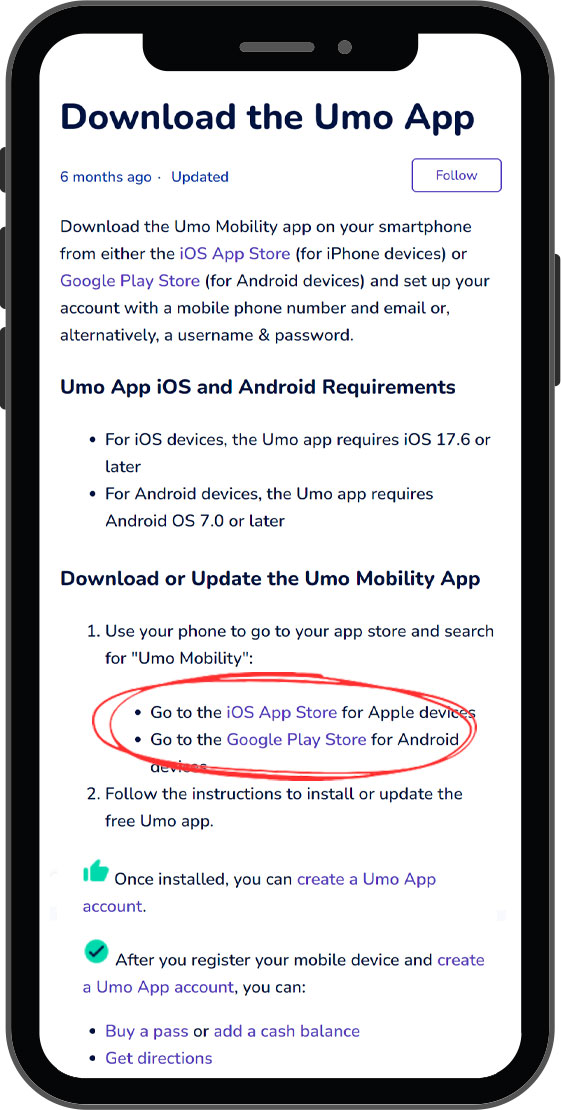
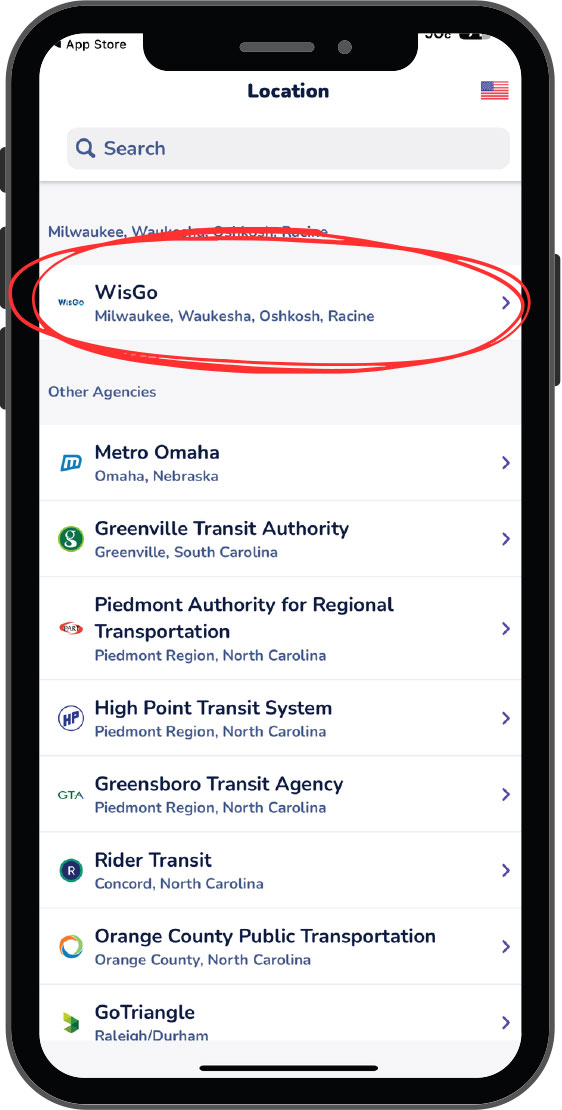
Step 2
Choose WisGo
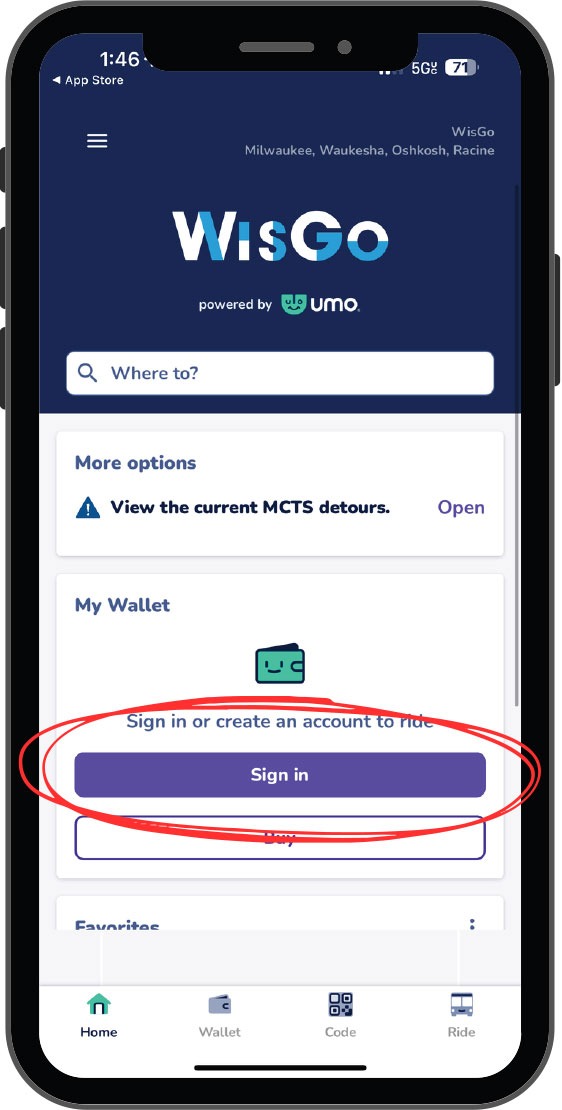
Step 3
Click Sign in
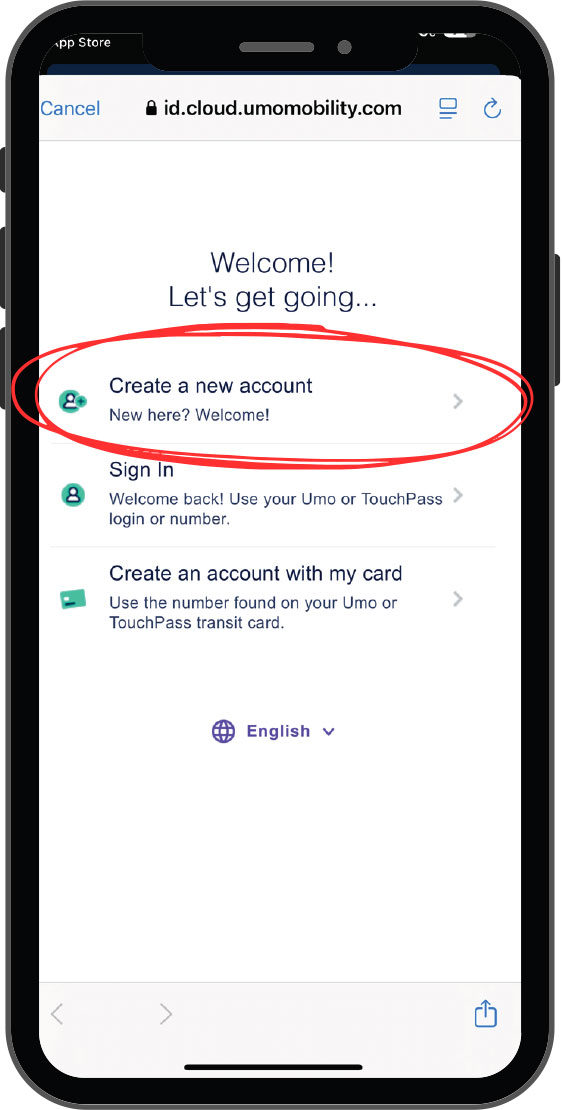
Step 4
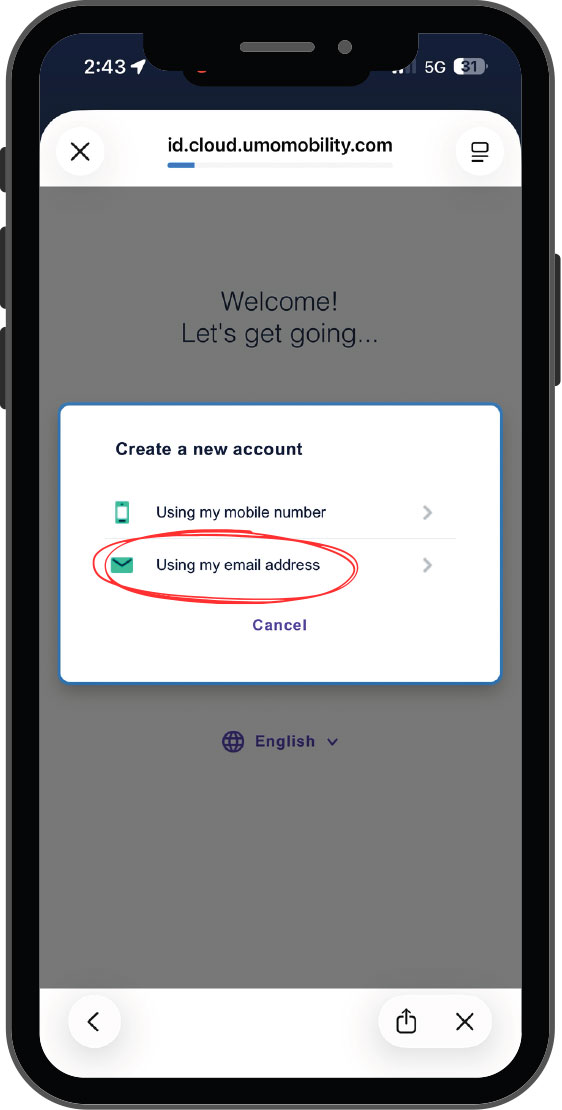
Click Create a new account. Please use your student email address to create your account.
Step 5
Click Using my email address and enter your student email address and choose a password.
Step 6
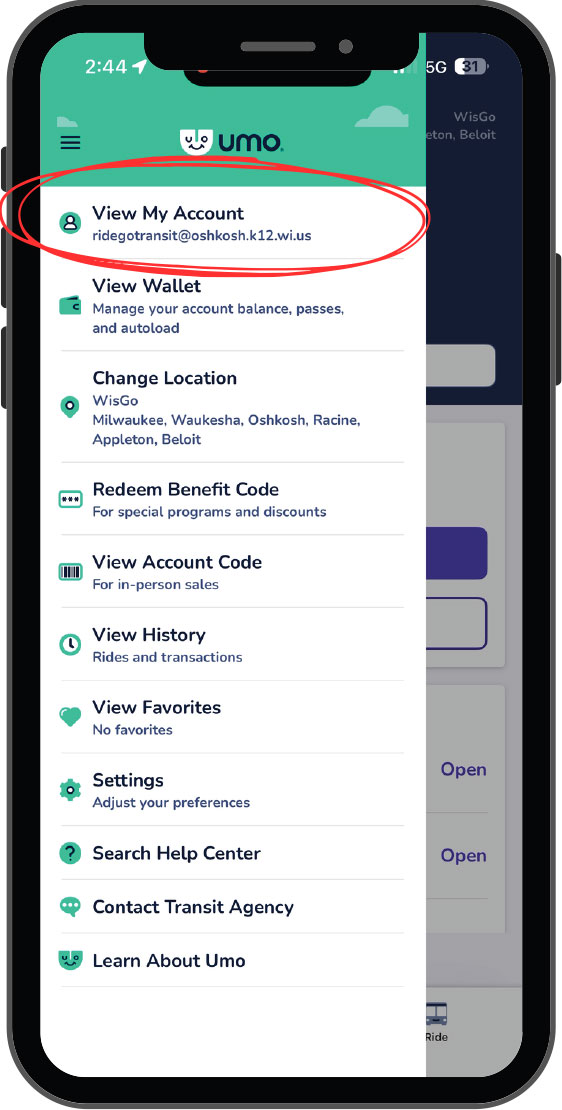
Click the hamburger menu on the top left of the screen then click View My Account
Step 7
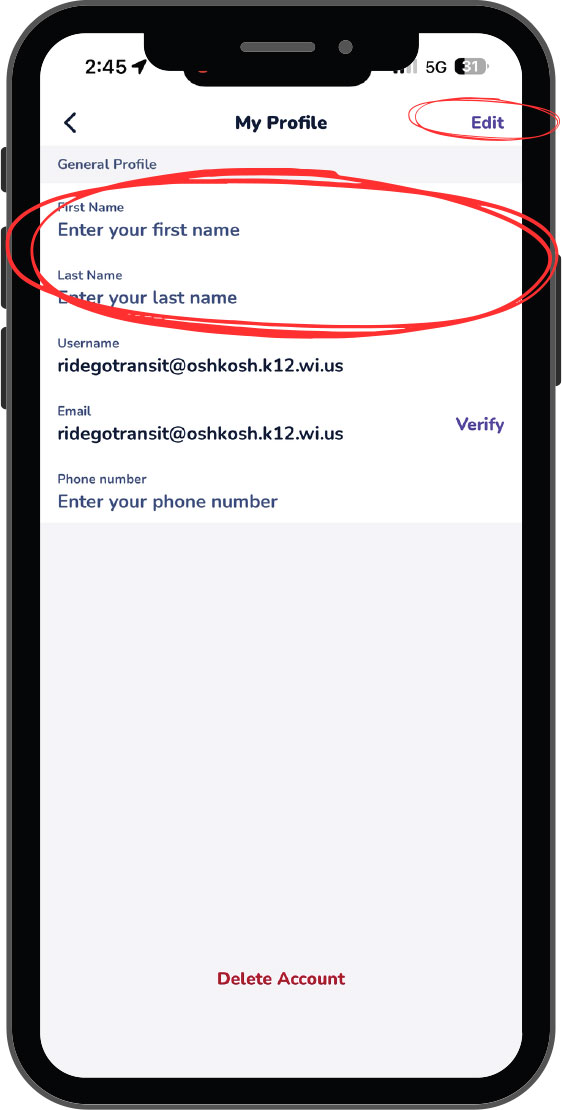
Click Edit and enter your first and last name. Then click Save.
Step 8
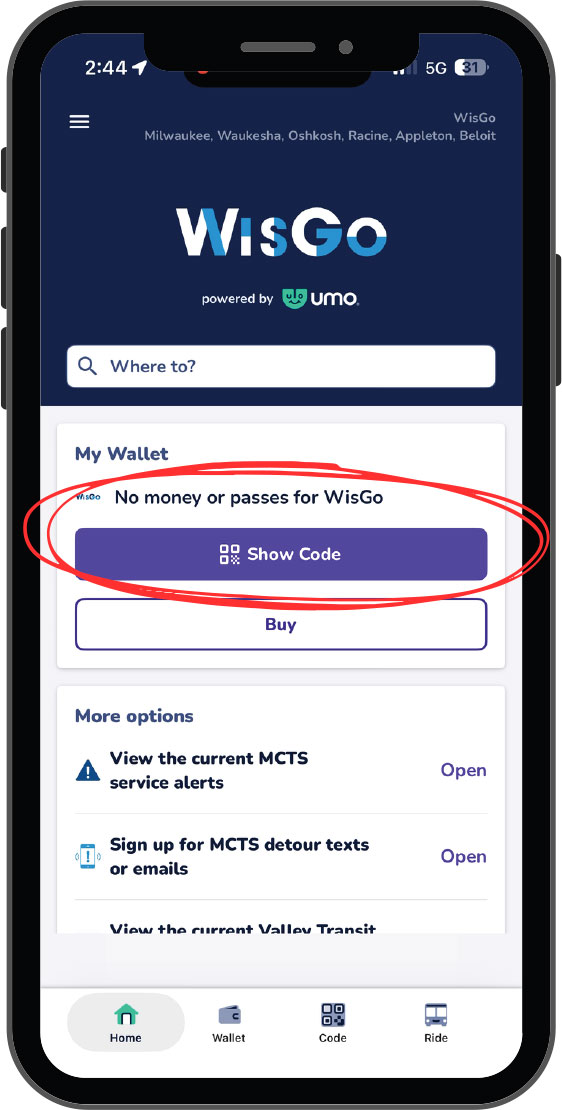
Visit your school office to have your Student Pass added to your account. Once added, click Show Code and scan to board.
*Student passes for OASD 2026-2027 School Year are valid from 9/1/2026 to 9/1/2027.